


Remote work has changed what a desk means.
It’s no longer just a place to put a laptop for a few hours. For many people, it’s where most of the workday happens — sometimes for eight hours or more. A good desk setup doesn’t just look nice in photos. It quietly supports focus, comfort, and daily routines.
The best remote work desk setups aren’t built around more gear. They’re built around reducing friction.
Start With How You Actually Work
One common mistake when setting up a remote work desk is designing it around aesthetics instead of habits.
Think about how your day really looks:
- How often do you switch between devices?
- What stays on your desk all day?
- What do you reach for without thinking?
A desk setup works best when it matches daily behavior, not idealized versions of it.
Keep the Desk Visually Calm
Visual clutter is one of the fastest ways to drain focus.
Even a well-equipped desk can feel overwhelming if:
- Cables cross the surface
- Chargers are scattered everywhere
- Devices don’t have a clear place
One simple idea that improves almost every remote work setup is keeping the desk visually calm. This doesn’t mean empty — it means intentional. Fewer visible cables and fewer loose accessories make a noticeable difference.
Design for Flow, Not Just Comfort
Ergonomics matter, but flow matters just as much.
A good remote work desk allows you to:
- Sit down and start working immediately
- Move between tasks without rearranging the desk
- Keep essential devices within reach
When you don’t have to constantly adjust cables, chargers, or accessories, the desk feels easier to use — even if nothing else changes.
Centralize Power and Charging
Power is one of the most overlooked parts of desk setup.
Remote work usually involves more than one device:
- A laptop that stays plugged in
- A phone that needs charging throughout the day
- Earbuds or headphones
- Sometimes a tablet or other accessories
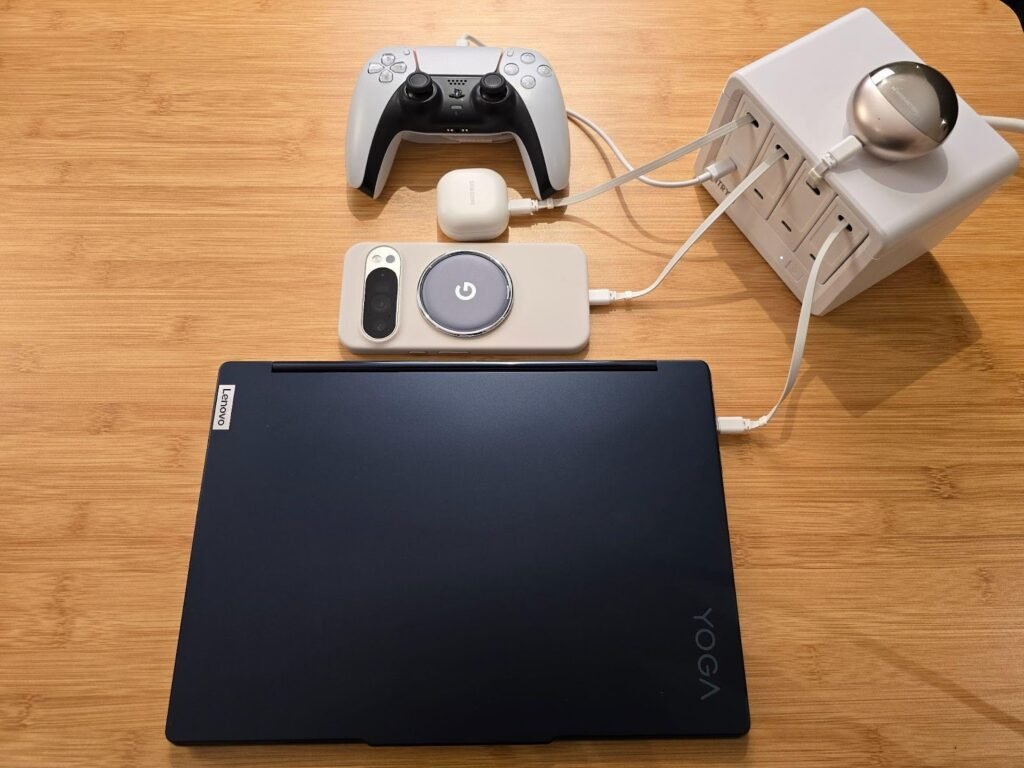
When each device has its own charger, power quickly becomes scattered. A simple but effective desk setup idea is to keep charging centralized in one area instead of spread across the desk.
Some remote workers use desktop charging stations to handle multiple devices from a single point. Solutions like those from Gitryin are designed with this idea in mind — helping keep power organized so it doesn’t take over the workspace.
The goal isn’t faster charging. It’s fewer decisions and less clutter.
Use Fewer Accessories, but Smarter Ones
More accessories don’t always mean a better setup.
Instead of adding more items, consider:
- Shorter cables instead of long ones
- One well-placed power solution instead of several chargers
- Accessories that serve multiple purposes
A remote work desk feels better when every item earns its place.
Create One “Always-Ready” Zone
One practical desk setup idea is creating an always-ready zone.
This is the area where:
- Your laptop connects
- Your phone charges
- Essential cables live
When this zone stays consistent, the rest of the desk can stay clean. You spend less time plugging and unplugging, and more time working.
Make It Easy to Reset
Even the best desk setup drifts over time.
A simple habit that helps is making the desk easy to reset:
- Clear unused cables at the end of the day
- Keep charging in one place
- Do a quick weekly tidy
A desk that’s easy to reset stays functional longer.
Final Thoughts
Good desk setup ideas for remote work aren’t about perfection. They’re about making work feel smoother and less interrupted.
When the desk supports how you work — with calm visuals, organized power, and fewer daily decisions — remote work becomes easier to sustain. A well-thought-out setup doesn’t demand attention. It quietly does its job in the background, letting you focus on yours.