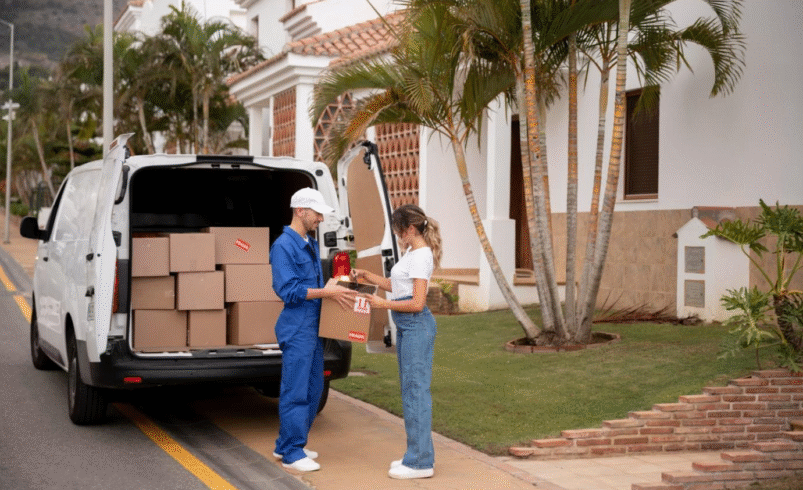
A Beginner’s Guide to Setting Up a Post Office Box Online


Need a safe place to receive mail without giving out your home address?
Renting a PO box online is one of the simplest services on the internet. Whether you’re operating a side hustle, working remotely, or just crave extra privacy…
There’s an online PO box option that can help.
Best of all, you don’t even have to leave your couch to get started. Say goodbye to lines at the local USPS counter and paper applications.
In this guide, we cover everything beginners need to know about…
Setting Up A PO Box Online
Why Online PO Box Services Are Booming Right Now
Millions of Americans are changing how they receive mail.
With remote work more popular than ever, digital nomads launching startups from their RVs, and small businesses operated out of garage offices in major cities.
Running your life without a dependable mailing address is becoming increasingly difficult.
Here’s the catch…
Traditional PO boxes are still great. However, previously you’d have to visit your local USPS office during weekday business hours to set one up. Getting mail delivered there is still the same process.
Technology has eliminated the waiting for online users. Today you can rent a post office box online in minutes from anywhere. The application, payment, and even box setup can be done digitally. That’s why virtual mailbox services are booming right now.
For reference, the USPS Office of Inspector General reported there are currently over 21 million PO boxes nationwide. At a rate of $180/year, the post office collects $1.5 billion annually just from PO box rental revenue. This is clearly a large industry centered around mail.
There’s another figure that will interest our readers…
Virtual mailbox companies and software makers generated $1.82 billion in revenue in 2024. With more people moving away from traditional brick-and-mortar businesses, it makes sense why.
Online users are demanding 100% digital access to their mail, wherever they are in the world.
Step-By-Step: How To Set Up Your PO Box Online
Truthfully the hardest part is getting over the hump and just beginning to sign up.
The application process to set up a PO box online takes about 5 minutes start to finish. Let’s take a look…
Step 1: Search for nearby PO Box locations.
Head over to the USPS website or any virtual mailbox providers website. Type in your ZIP code to view boxes in your area. Take note of pricing and sizes.
Step 2: Choose which box size you’d like.
PO boxes range from small (just letters) to large (packages as well). Think about how much mail you’ll receive. If it’s primarily magazines, start small.
Step 3: Fill out their application.
Just enter in your name, address, and contact information. This is similar to applying for a traditional PO box in real life.
Step 4: Pay for your PO box online.
Services will accept card payments for either 3, 6, or 12-month rentals. The longer you pay up front, the bigger discount you’ll receive.
Step 5: Verify your identity in person.
This is the only step that requires going to the post office. Simply bring two acceptable forms of ID to verify yourself. They will open your box and hand you the keys/combo.
You spend 15 minutes filling out an application online. Then you go to the post office to verify your identity for about 10 minutes. That’s all there is to it.
Straightforward enough?
Online PO Box vs Virtual Mailbox – What’s The Difference?
Not all online PO box options are created equal.
Once you understand the basics, take a moment to learn about different service tiers. You can often save money and dodge headaches by knowing these key differences.
Traditional PO Boxes are physical boxes located in your local post office. Mail piles up until you stop by to pick it up. These aren’t bad if you live close by and regularly check your mail.
Virtual Mailboxes, on the other hand, are much more robust. Not only do they allow you to select a street address (vs PO Box ######) but they accept ALL carriers. USPS, FedEx, UPS, DHL. You name it.
Users can access mailed items online after they’re scanned. This means reading your mail from an iPhone halfway across the world.
Here’s some of the key differences between service types…
- Traditional boxes require you to visit the USPS office to access mail. Virtual allows anytime online access.
- PO Boxes provide a “PO Box xxx” address. Virtual Mailboxes allow real street addresses.
- Traditional PO Boxes from USPS do NOT accept package deliveries. Boxes from FedEx, UPS, and Postal users do.
If you’re a digital nomad, remote worker, or run your business online…. virtual mailboxes will almost always be your best bet.
For someone who simply wants a secure place for mail delivery locally, stick with a traditional PO box.
Benefits Of Renting A PO Box Online (That Everyone Will Love)
Hopefully by now you’re convinced.
Virtual mailbox services and basic online PO box rentals are convenient. But what are some of the reasons why you should sign up?
Takeaways include:
- Privacy: Don’t share home addresses on business cards or public documents.
- Security: You get to keep your mail locked up until you’re ready to access.
- Professionalism: A legit business address beats “Captain Rogers’ House” every time.
- Convenience: Access mail delivery notifications online. Have packages forwarded when traveling.
Small business owners love virtual mailboxes. If someone moves every few years, why should you have to update them with a new address?
Biggest Mistakes To Avoid When Renting Online
Much like with anything, there are some common mistakes people make when renting PO boxes online.
These oversights usually create more issues down the road.
Mistake #1: Not choosing the right size. Small PO boxes fill up quickly. Avoid this mess by selecting a size that matches your mail volume.
Mistake #2: Not paying attention to renewal dates. Each PO box comes with an expiration date. Make sure you don’t forget to set calendar reminders.
Mistake #3: Not updating your senders. As soon as you get your PO box, immediately inform your bank, subscriptions, etc. about address changes.
Mistake #4: Not checking lobby access times. The front lobby doesn’t always open at 9am. Make sure the area you select has acceptable hours.
Just like that you’ll avoid the most common PO box online problems.
How To Find The Best Online PO Box Providers
Figuring out which online PO box option is best comes down to two things.
Ask yourself these questions…
- How frequently will you be checking your mail?
- Do you need package delivery from non-USPS mailers?
- Is a street address important for your business?
- How important is viewing your mail remotely?
If you plan on checking your PO box once a week/month and only need USPS package delivery, you’re fine with basic mail collection.
Just going to the USPS website and renting a box online will work. Prices start as low as $20 every 3 months in rural areas. Major cities cost significantly more.
But if you answered yes to any of the other questions… It’s time to check prices for virtual mailbox providers.
Monthly fees start around $10-15 for scanning mail and allowing package redirection services. Remember, these services are global.
The moral of the story is pretty simple:
Get what you need. Don’t overspend on fancy features you’ll never use. But don’t cut corners and skimp on services you’ll need later.
The Final Takeaway
Setting up a post office box online is easier than ever before.
Not only does the sign-up process take minutes, but you’ll also learn how to better manage your mail. Traditional PO boxes from USPS work fine too.
But if you want 100% online management and flexibility…
Follow the simple steps above to set up a PO Box online.