
Best AI Gmail Inbox Assistant Tools That Boost Productivity and Focus

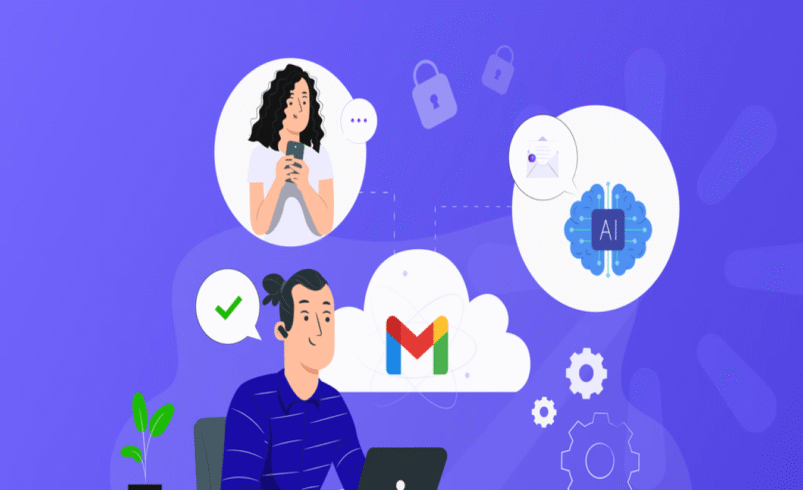
Email remains a cornerstone of professional and personal communication. In 2025 the email landscape continues to grow: globally there are an estimated 4.59 billion email users, and the average employee spends up to 11 hours per week managing email. For anyone using Gmail regularly, adopting a best ai gmail inbox assistant can make a tangible difference in reclaiming time and improving focus.
This blog explores why Gmail users are turning to AI inbox assistants, what features truly matter, and which tools stand out right now without over-hyping any single product.
The Productivity Drain of Managing Gmail
Gmail is used by more than 2.5 billion users globally in 2025. Professionals in fast-paced roles face high volumes of incoming messages, meeting invites, internal threads, follow-ups, and attachments. Many end up spending their mornings simply clearing email rather than working on higher-value tasks.
Here are a few typical productivity bottlenecks:
- Inbox overload: Hundreds of messages arrive daily, mixing urgent items with newsletters and updates.
- Manual triage: Users spend minutes sorting messages into folders or deciding what to delete or respond to.
- Delayed follow-ups: Without reminders or task conversion, email action items fall through the cracks.
- Fragmented workflow: Switching between Gmail, calendar, task-list and notes platforms interrupts focus.
- Mobile/desktop disruption: Over 85% of Gmail users check email on mobile devices, while responding on desktop.
This pattern doesn’t just waste time. It undermines focus, slows responsiveness, and increases mental clutter.
What Makes an AI Gmail Inbox Assistant Worth Considering
To get real benefit from an AI inbox assistant in Gmail, the right set of features matters. Here are the attributes that separate useful tools from gimmicks:
1. Deep Gmail Integration
The assistant must work seamlessly inside Gmail (web and mobile) without forcing the user into a separate interface.
2. Smart Message Filtering & Prioritization
It should identify which emails need immediate attention, which can wait, and what can be grouped for later review.
3. Automatic Drafting & Reply Help
For frequent or repetitive replies, the assistant offers context-aware draft responses that match your voice.
4. Task & Calendar Linkage
When an email contains an action or meeting, the assistant converts it into a to-do or calendar event, reducing task leakage.
5. Device Sync & Cross-Platform Support
With many users shifting between mobile and desktop, the tool must sync activity and maintain context across devices.
6. Secure Data Handling
Since Gmail often holds business communications, privacy and data protection are critical. The assistant should not store or misuse your data for third-party training.
When these features are combined in a user-friendly interface, the Gmail inbox becomes less of a drain and more of a streamlined communication hub.
Top Tools for Gmail Users Right Now
Several AI assistants are already gaining traction among Gmail users seeking smarter inbox workflows. Here are a few noteworthy ones:
- NewMail AI – Works with Gmail to automate drafting, prioritization, and task tracking. Emphasizes a privacy-first architecture and fast setup.
- Google Workspace AI features – Built-in Gmail features such as Smart Compose and auto-suggested replies give a baseline of automation for many users.
- Cleaner inbox and email automation tools – Several third-party options focus on bulk-sorting, reminder setup and email clean-up, complementing Gmail’s native features.
Each tool addresses a slightly different user need; solo professionals, team inboxes, or high-volume correspondence. The key is choosing the one aligned with your daily workflow rather than just feature count.
How Much Time Can You Save?
Consider this: If you spend 11 hours weekly on email and you improve automation by 30%, you regain more than three hours of productive time per week. Over a month that adds up to more than a full workday freed for focus tasks.
Other advantages include:
- Fewer missed responses and follow-ups
- Reduced time switching between tools
- Less mental load from handling routine email chores
When every minute counts in a professional setting, an AI assistant that handles the repetitive background work lets you invest energy where it matters.
Final Thoughts
In 2025, it is no longer sustainable to manage Gmail as though it were a simple messaging tool. The volume and complexity of modern email demand smarter workflows. Adopting a best ai gmail inbox assistant translates directly into less time wasted, fewer distractions and stronger productivity.
If your Gmail inbox often drives your day rather than your agenda guiding it, consider investigating an AI assistant that fits your needs. With the right tool, your inbox can become a streamlined workspace instead of a source of constant interruption.